L&D teams spend their days helping other people build skills. Finding time to develop their own can be harder, especially when a new AI feature arrives somewhere between the project kickoff and the final review.
Many learning professionals are already experimenting thoughtfully. In Dr. Luke Hobson’s 2026 survey, 73% reported using AI often or daily. Respondents also described learning through colleagues, professional networks, and online resources. That initiative is worth supporting. Experienced designers bring instructional judgment, audience knowledge, and professional curiosity to AI-assisted work. Organizations can strengthen those advantages by giving their learning teams a deliberate way to practice, receive feedback, and demonstrate growing capability.

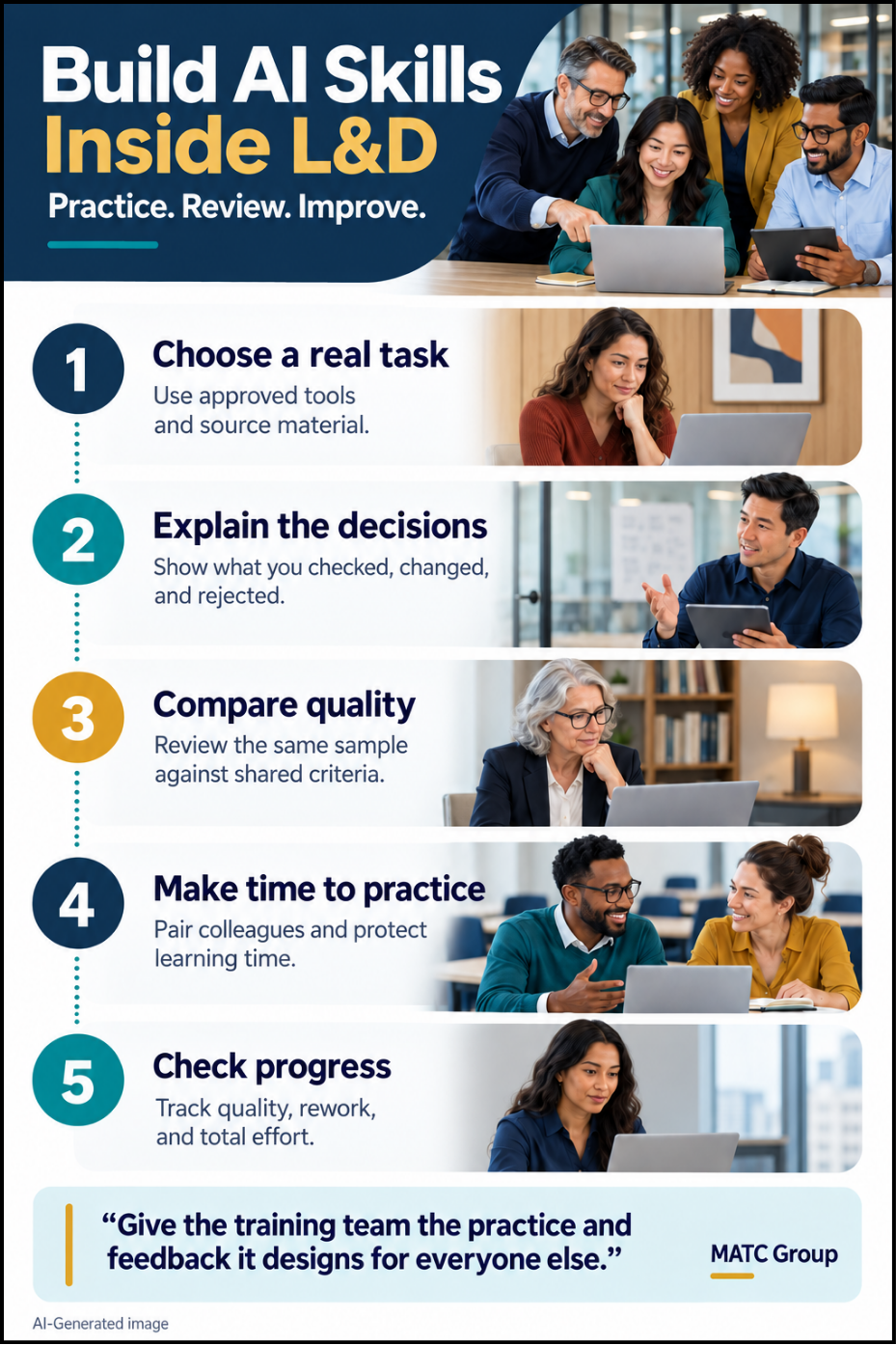
Before assigning another introductory AI course, ask team members to demonstrate one current use case. Where are they confident? What procedures takes several attempts? Which tasks still require extensive correction? Use those observations to choose a focused practice assignment. For example, ask designers to use an approved AI tool and a sanitized policy document to draft a scenario-based assessment.
Define success before anyone starts. The assessment should address a meaningful workplace decision, reflect the policy accurately, offer plausible choices, and explain the consequences of each response. Adjust assignments by role. A facilitator might practice evaluating AI-generated role plays. A learning administrator could test a reporting workflow. Nobody needs to master every tool on the market by Friday.
Our article on what good instructional design looks like in 2026 provides the foundation: learning work should connect to performance. Apply that same expectation to the team’s professional development.
A polished assessment tells you something about the output. Understanding how the designer developed it tells you more about their capability.
Ask colleagues to explain:
In our example, the AI might invent an exception that sounds reasonable but does not appear in the policy. Catching it is important. Explaining how it was caught—and preventing it from surviving the next review—creates a learning opportunity for everyone.
Keep a brief record of those human decisions. There is no need to preserve every prompt or ask AI to explain its hidden reasoning.
Have team members independently review the same sample, then compare their judgments against shared criteria: accuracy, instructional alignment, realistic choices, accessibility, and usefulness of feedback.
Disagreements are valuable. One reviewer may notice unsupported content while another spots a question that rewards guessing. Discussing those differences helps the team clarify its standards and identify coaching needs.
Include a deliberately flawed practice sample occasionally. Can reviewers detect an outdated requirement, a misleading answer explanation, or a scenario that excludes part of the audience?
Pair complementary strengths. A colleague who knows the tool well can work with someone who brings deep assessment or subject expertise. Both have something to teach.
Professional development needs room in the workload. “Explore AI when you have a minute” is unlikely to survive a full production schedule.
LinkedIn’s 2025 Workplace Learning Report highlights the problem. When asked to identify their top three barriers to career development, 33% of respondents pointed to talent teams lacking the time or resources to support it. Although that finding covers career development broadly, it reinforces a practical concern: the people responsible for developing others need support, too.
Give AI practice a specific place in the schedule. Start with a protected session every two weeks, a rotating peer demonstration, or a short review of a recent project. Managers should adjust assignments or deadlines so that participation fits within working hours.
Let team members help choose the practice topics. Their questions and recent challenges can reveal where coaching would be most useful.
Use approved tools and sanitized materials, and keep practice samples separate from published work. Encourage colleagues to share unsuccessful attempts so the team can learn from them.
After several practice cycles, repeat a comparable assignment and review the change.
Look for fewer unsupported claims, stronger assessment choices, clearer explanations, and less reviewer rework. Measure total effort, including verification and revision. A quick first draft can still require a long cleanup.
Keep completion records if useful, but assess what people can do with the skills. Learner testing and performance evidence can then show whether the resulting materials work in practice.
Revisit development needs when tools, policies, or responsibilities change. Let demonstrated gaps guide the next learning activity.
Build on Your Team’s Expertise with MATC
Your in-house L&D team understands your people, culture, and learning challenges. A strong partner brings complementary expertise and capacity to help that team move forward.
MATC combines practical AI knowledge with instructional design, knowledge management, and performance-focused learning. Through our AI consulting services, we work alongside learning professionals to select useful applications, integrate AI into design workflows, and build ongoing capability.
That collaboration can give an experienced team focused support for testing approaches, strengthening review practices, and turning discoveries into repeatable ways of working.
Your learning team already knows the value of practice and feedback. Give it the time, resources, and partnership to benefit from both.
What Good Instructional Design Looks Like in 2026
AI Adoption Starts with Trust, Not Training
Agentic AI for L&D: What It Is, and What to Govern First
“2025 Workplace Learning Report.” LinkedIn. 2025. Accessed 10/16/26. https://business.linkedin.com/learn/resources/workplace-learning-report
Hobson, Dr. Luke. “How instructional designers are really using AI.” Dr. Luke Hobson. June 2026. Accessed 10/16/26. https://drlukehobson.com/ai-instructional-design-survey-results