This is the 10th post in our The Human Side of Technology series.
The training launches Monday. The software has been approved, the documentation is finished, and the project team is running on coffee and the promise of moving on. Then someone asks whether the course works with a keyboard, whether the videos have accurate captions, and whether a screen reader can make sense of the instructions.
Those questions arrive at an uncomfortable moment. Answering them may mean rebuilding interactions, rewriting content, or reconsidering a platform everyone thought was settled. Budgets are nearly gone, patience is following closely behind, and accessibility starts being discussed as additional work. For the person waiting to use the result, however, access was always part of the assignment.
Consider an employee who understands the subject but cannot operate a required training activity. A drag-and-drop exercise has no keyboard alternative, so completing the course means contacting support, explaining the barrier, and waiting for another option. While colleagues move ahead, that employee becomes responsible for coordinating access to something everyone was expected to use.
The same pattern appears in documentation and everyday technology. A troubleshooting guide contains screenshots with essential instructions embedded in the images. A dashboard uses color alone to show which items need attention. A recorded demonstration explains each action with “click here,” leaving important visual information unspoken.
Each barrier adds work before the actual work can begin. Depending on the situation, someone may need to disclose a disability, ask a colleague for help, or accept a less independent way of completing the task. An organization can sincerely value inclusion while repeatedly delivering experiences that make people negotiate for it.
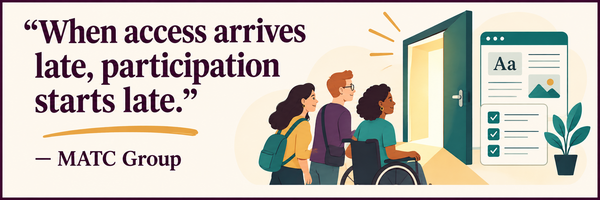
Accessibility decisions begin when teams choose platforms, purchase authoring tools, approve templates, and decide how information will be presented. By the time a finished product reaches review, those decisions may be repeated across dozens of screens, lessons, or documents.
The scale of persistent barriers is visible in WebAIM’s 2026 analysis of one million website home pages: 95.9% had automatically detected WCAG 2 failures. That finding concerns website home pages, rather than workplace training specifically, but it illustrates how frequently detectable accessibility problems remain in published digital experiences. Automated testing also captures only part of the picture.
A final check still matters. Its value increases when earlier checks have already shaped the work. W3C recommends evaluating accessibility early and throughout development, when problems are easier to address.
Making accessibility part of normal production requires specific expectations. “Make it accessible” leaves too much interpretation to the next person in the process, especially when that person inherits a design they cannot easily change.
Teams can make those expectations concrete across the work:
W3C’s writing and design guidance addresses many of these foundations, including headings, text alternatives, clear instructions, contrast, and alternatives to color-only communication. These choices belong in content development and design standards from the beginning.
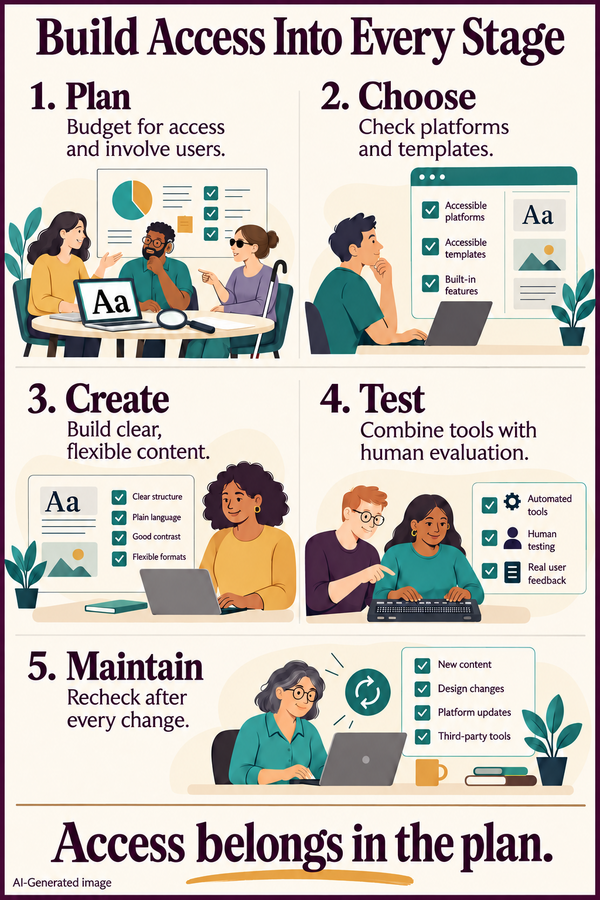
A checklist can help a team remember requirements. Watching someone use a prototype can reveal how those requirements affect an actual task. Can the person find the instructions, understand the choices, recover from an error, and finish without an avoidable workaround?
Include people with different access needs while there is still room to change the experience. Pay participants for their expertise, ask about the task rather than demanding personal medical information, and avoid expecting one person to represent everyone with a disability. Someone who uses screen magnification will bring a different perspective from someone who uses a screen reader or alternative input device.
W3C emphasizes involving people with disabilities throughout design and development to improve understanding and produce more effective solutions. That participation should inform the work alongside accessibility expertise and standards-based evaluation.
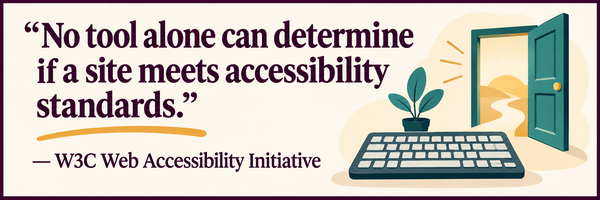
An automated checker cannot establish whether an explanation is useful or whether a person can complete the intended workflow. W3C explicitly calls for knowledgeable human evaluation alongside tools.
Accessibility becomes easier to postpone when responsibility is vague. A project manager may assume the developer owns it, while the developer assumes the content team has already handled it. Meanwhile, procurement has selected the platform and an approved template has introduced the same barrier everywhere.
Assign responsibilities at the start. Include accessibility in vendor evaluation, project estimates, content briefs, prototype reviews, and release criteria. Give people the training and time needed to meet those expectations, and make it clear who resolves barriers that cross team boundaries.
Keep those responsibilities after launch. A replacement video may lose its captions, a new graphic may lack a text alternative, or an updated interaction may introduce a keyboard trap. Maintenance needs to preserve access as carefully as it preserves accuracy.
Good accessibility work gives people more control over how they read, navigate, learn, and contribute. Some improvements also help colleagues working in noisy environments, using small screens, or managing temporary limitations. Those wider benefits are welcome, while equal access for people with disabilities remains a reason to do the work in its own right.
The next project brief is a practical place to begin. Identify who needs to use the result, what could block participation, who will check it, and when changes can still be made. Put those answers beside the scope, schedule, and budget, where they can influence decisions.
MATC helps organizations connect instructional design, technical documentation, and performance support around the people doing the work. Building accessibility into that work gives more people a fair opportunity to begin—and the independence to keep going.
What Good Instructional Design Looks Like in 2026
Training Needs Analysis Is No Longer Optional (If It Ever Was)
Microlearning and In-the-Flow Training: The New Standard for Distributed Teams
Stop Taking Orders: Why Modern L&D Must Become a Performance Partner
Agentic AI for L&D: What It Is, and What to Govern First
Designing for Web Accessibility.” W3C. Accessed 11/2/26. https://www.w3.org/WAI/tips/designing
“Evaluating Web Accessibility Overview.” W3C. Accessed 11/2/26. https://www.w3.org/WAI/test-evaluate
“Planning and Policies Overview.” W3C. Accessed 11/2/26. https://www.w3.org/WAI/planning
“The WebAim Million: The 2026 report on the accessibility of the top 1,000,000 home pages.” WebAIM. 3/30/26. Accessed 11/2/26. https://webaim.org/projects/million